> ## Documentation Index
> Fetch the complete documentation index at: https://docs.remyx.ai/llms.txt
> Use this file to discover all available pages before exploring further.
# Discover
> Systematically discover relevant research, repos, models, and techniques — and turn them into testable experiments
## The Discovery Problem
Staying current with the AI landscape is part of the job but it's rarely the main job. You have models to ship, pipelines to maintain, and stakeholders asking if you've tried the latest technique they saw on Twitter.
The result: a backlog of saved resources you'll get to "eventually," relevant work you discover weeks after it would have been useful, and hours spent debugging environments before you can even test if a method works for your use case.
With Remyx, you can **semantic search across papers, GitHub repos, HuggingFace models, and more** — matched to your specific engineering challenges, plus pre-built Docker environments that eliminate setup friction.
***
## Resource Discovery
The **Search** and **Feed** views deliver personalized recommendations matched to the context of what you are building. Create multiple **Research Interests** to track different areas of your work, each with its own context and recommendation cadence.
With Remyx discovery you can:
* **Find relevant resources fast**: semantic matching surfaces work you'd otherwise miss across papers, repos, models, and datasets
* **Get instant recommendations**: per-interest refresh, no waiting until tomorrow
* **Ask plain-language questions**: methods, key concepts, implementation details
* **Go from resource to testable experiment**: create an experiment directly from any resource
***
### Research Interests
Instead of one generic feed, create focused streams for different areas: "VLMs," "Efficient Fine-tuning," "RL for Robotics" each with its own context and paper volume.
#### Creating Interests
Click **New Interest** in the top right corner of the Papers view:
| Field | Description | Example |
| ---------------- | ------------------------------------------- | --------------------------------------------------------- |
| **Name** | Label for this interest (appears as a tab) | "VLMs", "Code Models", "RL for Robotics" |
| **Context** | URLs and descriptions defining the interest | HuggingFace models, GitHub repos, arXiv papers, free text |
| **Daily Papers** | Recommendations per day (1-5) | 2 |
#### Editing Interests
To edit or delete an existing interest:
1. Navigate to the interest's tab
2. Click the **gear icon** (⚙️) in the toolbar
3. Update fields or delete from the modal
#### Navigating Interests
Your interests appear as **pill tabs** at the top of the Papers view:
* **All Papers** : Combined feed from all interests
* **\[Interest Name]** : Filtered view for that interest
* **Badge counts** : Relevant papers that have matched the interest context
Papers are tagged with which interest surfaced them—you always know why something was recommended.
No Research Interests yet? Remyx uses your **Profile settings** (Role + Interests under **Settings → Profile**) as the default context.
***
### Context Sources
Each Research Interest can include multiple context sources. More context = better recommendations.
| Source Type | What It Captures | Example |
| ---------------------- | ------------------------------------------------- | -------------------------------------------------- |
| **GitHub Repos** | Tech stack, domain focus, implementation patterns | `https://github.com/your-org/your-model` |
| **HuggingFace Models** | Model architecture, benchmarks, datasets, tags | `https://huggingface.co/your-org/your-model` |
| **arXiv Papers** | Research direction, methods, citations | `https://arxiv.org/abs/2401.12345` |
| **Blog Posts** | Technical approach, problem framing | `https://your-blog.com/technical-post` |
| **Free Text** | Specific interests, problem statements | "Improving spatial reasoning in VLMs for robotics" |
**Prioritize rich context** — The best recommendations come from resources with detailed documentation: GitHub repos with thorough READMEs, HuggingFace models with comprehensive cards, technical blog posts. Resources that cite or benchmark against your work get boosted to the top.
***
### How Matching Works
Navigate to the [Search](https://engine.remyx.ai/resources) view to see your recommendations.
The recommendation pipeline prioritizes resources that:
1. **Cite or benchmark against your work**: resources referencing your models or repos rank highest
2. **Use the same base models/architectures**: if you're working with Qwen2.5-VL, you'll see related work
3. **Address your problem domain**: spatial reasoning, code generation, retrieval — whatever you're focused on
4. **Evaluate on the same benchmarks**: resources testing on benchmarks you care about surface faster
Resources with **runnable Docker environments** get a prominent badge — these are the fastest path from discovery to experiment.
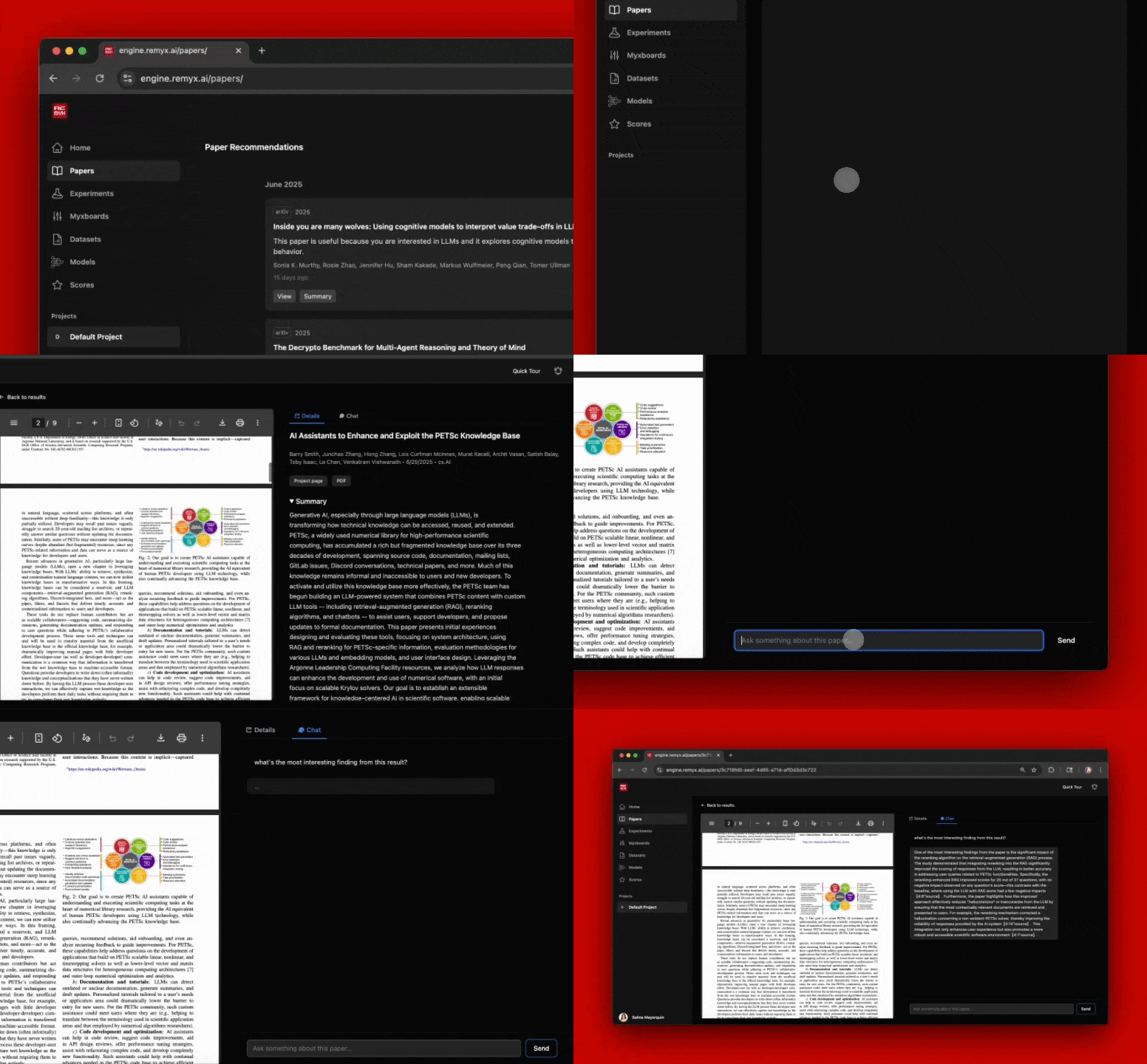
Click **View** on any resource to open the interactive explorer:
* **Details tab**: Resource links, summaries, key findings
* **Chat tab**: Ask questions, request summaries, extract code snippets
***
### Instant Refresh
Don't wait until tomorrow. Each Research Interest has its own **Refresh** button.
#### How to Refresh
1. Navigate to the interest tab you want to update
2. Click **Refresh** in the toolbar
3. Watch real-time progress as Remyx searches and ranks
4. New papers appear automatically when complete
Refresh runs asynchronously navigate away and come back, the job continues in the background. Progress status persists so you can check on long-running refreshes.
### Resource Chat
Converse with any resource using natural language. Responses stream in real-time; conversation history is preserved.
Example questions:
* "What's the main contribution compared to prior work?"
* "How would I adapt this for a 3B parameter model?"
* "Extract the training hyperparameters from Section 4"
* "What datasets did they use for evaluation?"
***
## From Resource to Experiment
With the Remyx studio, you can quickly turn discoveries into testable experiments.
From any resource view, click **Create Experiment** to:
1. **Link the resource** as the experiment source
2. **Generate a launch context** with resource metadata, Docker environment, and an AI-generated implementation plan
3. **Hand off to Claude Code** via MCP for automated PR generation — or implement manually
Many resources in the Remyx index have **pre-built Docker environments** with dependencies installed, model weights downloaded, and example inference scripts ready to run. These are marked with a "Runnable environment" badge.
***
## Daily Schedule
Scheduled recommendations refresh daily at **9:30 AM UTC** for all your interests. Update context sources before then to see changes in the next batch—or use **Refresh** for instant updates.
***
## What's Next
Coming soon to Remyx:
* **Expanded Source Coverage**: GitHub repos, HuggingFace models and datasets, blog posts, and more — all searchable alongside papers.
* **Deep Research Mode**: Deep dive into an entire line of work: key resources, evolution of techniques, open problems, and synthesize multiple ideas into an experiment.
* **Citation Graph Explorer**: Trace lineages of ideas from foundational work to cutting-edge extensions. Visualize how resources connect and find the path from breakthrough to your problem.
* **Adoption Alerts**: Get notified when resources you're tracking start gaining real-world traction.
***
## Explore More
* [Experiment Dashboard](/resources/dashboard): Track experiment outcomes from timeline to portfolio
* [Integrations](/resources/integrations): Connect GitHub, Linear, Jira, Slack, and Claude Code
* [MCP Server](/resources/mcp-server): Use Remyx tools from Claude Code or any MCP client