
Requirements
You need an open PR in a repository connected through the Remyx GitHub App, with Validations enabled. You need permission to comment as an owner, member, or collaborator. Confirm free-run eligibility or available credits in Studio.1. Request a test
Comment on the pull request: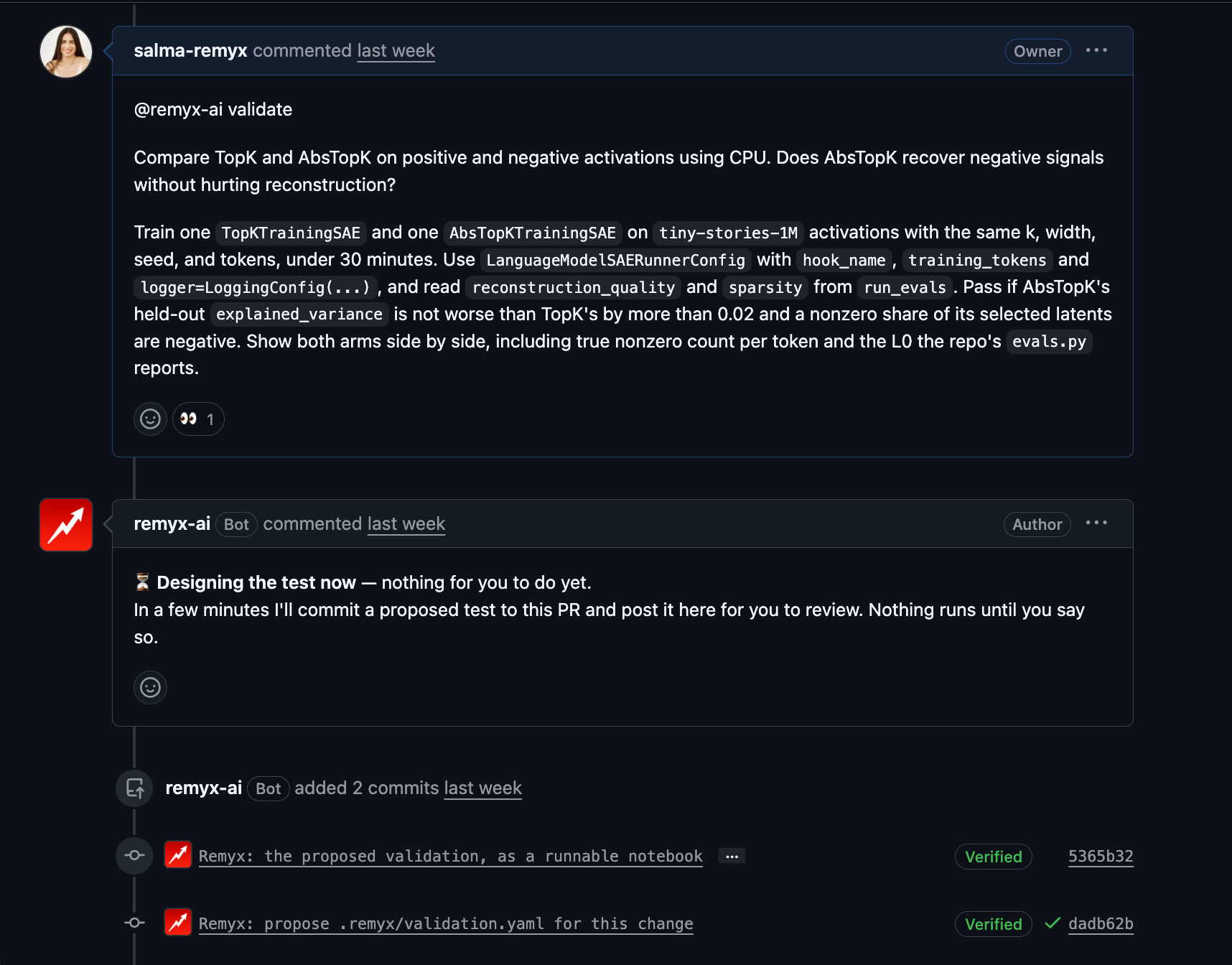
A PR comment starts the test proposal.
2. Review the proposal
Inspect the test and.remyx/validation.yaml. Check the comparison, metrics, and required criteria before running the evaluation.
A committed spec can start immediately. Requests that explicitly ask for a revision and a run can also bypass a separate confirmation.
3. Run
If Validate is waiting for confirmation, comment again:4. Read the evidence
Review the metrics, specified criteria, executed notebook, run status, and cost on the PR. A passing result means the test met its criteria under that setup. It does not prove production impact.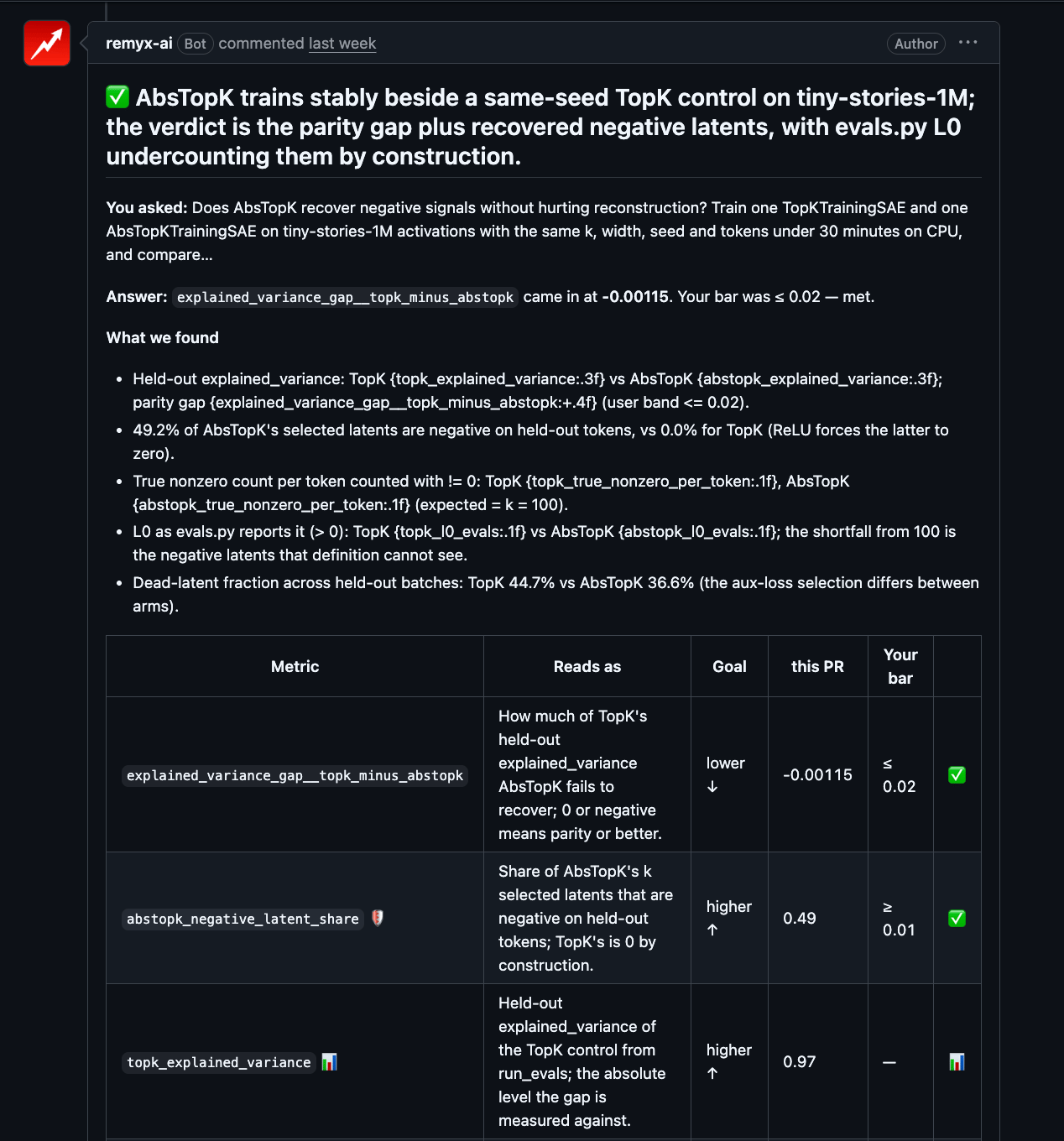
The completed test reports criteria, measurements, and its verdict.