
/inbox
The Inbox is titled “Waiting on you”, and that’s the whole contract: drafts to review, calls your agents held for you, and anything blocking the loop — in your own time. It’s a derived queue, not a task tracker you maintain: items appear from live agent state, and anything resolved on GitHub clears itself.
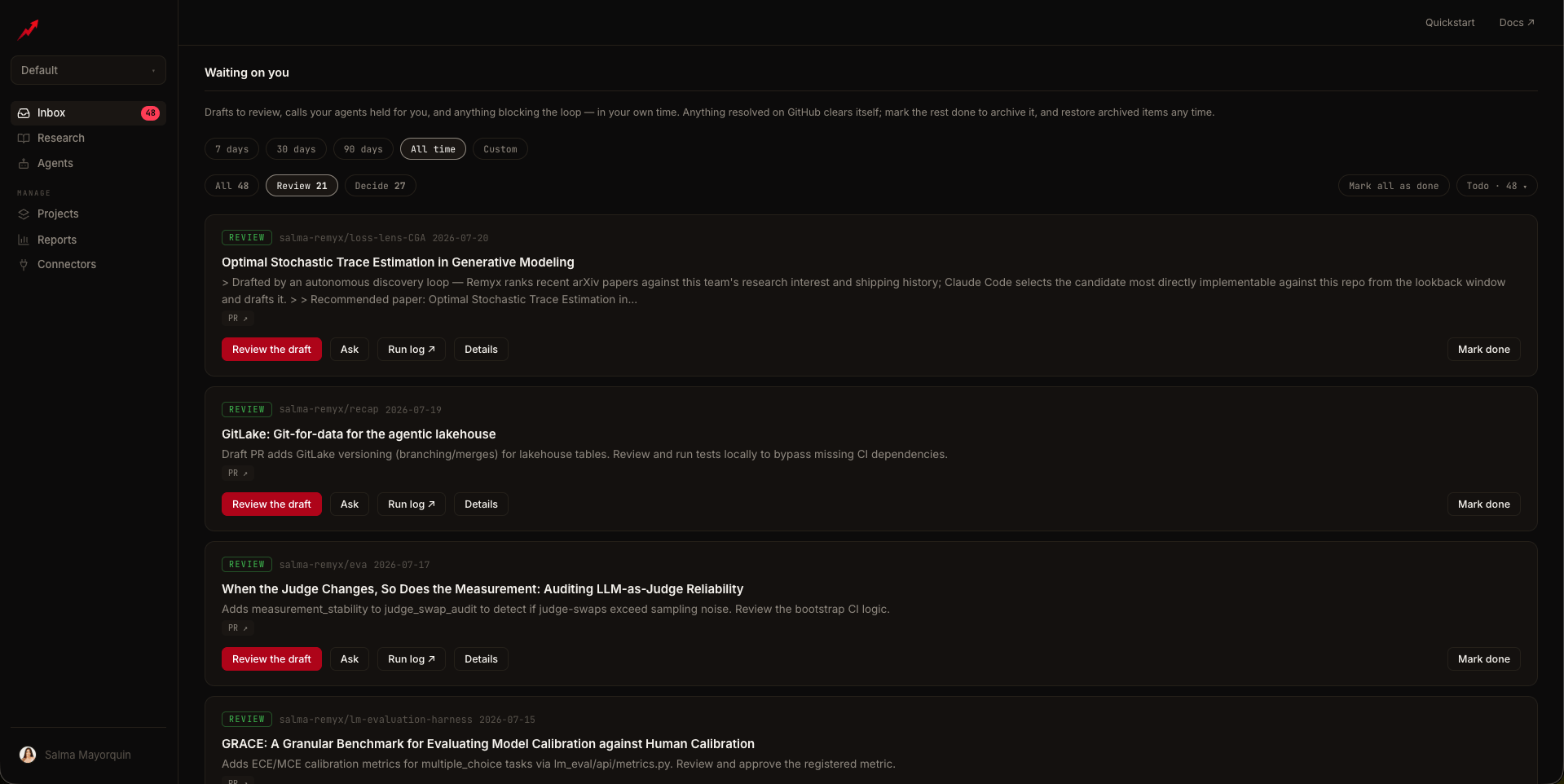
Card types
Every card carries one of three tags, filterable with chips at the top:Auto-resolution
Item state follows GitHub. When a PR or Issue is merged or closed, its card auto-completes into the Done pile, Linear-style, labeled Merged / Closed. You never mark those done — the system does. Cards you clear by hand get Done by you and can be restored to the inbox anytime; auto-resolved ones can’t (there’s nothing left to do). Three status views: Todo (open and waiting on you), Done (resolved on GitHub — merged or closed), Archived (marked done by you). A Mark all as done chip batch-archives.The Inbox’s date window defaults to All time — old waiting items must not hide. Health cards (setup PR, missing key) are never hidden by the window.
Working a card
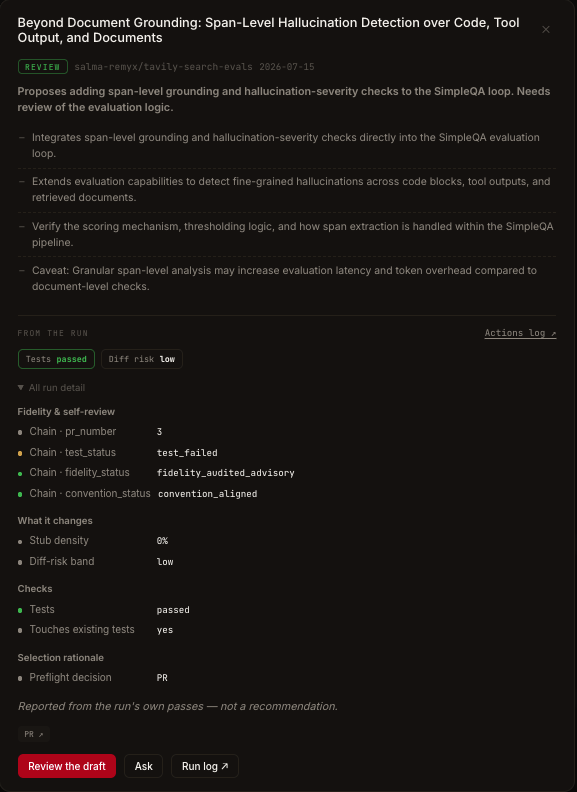
- Details expands a TLDR digest — a server-generated summary built from the run’s telemetry on first expand — plus deterministic run evidence: gate check chips, a diff-risk band, flagged callouts, and scope, reported from the run’s own passes rather than a recommendation.
- Ask opens a run-grounded chat scoped to that agent, seeded with the right question for the card kind (e.g. for a blocked agent: “Why is this repo blocked — what is failing in the logs, and what should I change?”). It’s the same drawer as Ask about this agent.
- Analyze (on Fix cards with a run) pulls the failing run’s log and returns a root-cause read.
- The primary button does the obvious thing — open the PR, open the Issue, open Connectors — and Run log ↗ / View in agent take you to the evidence.
Programmatic access
The inbox is also exposed on the MCP server (get_inbox, dismiss_inbox_item, get_artifact_digest) and the REST API (GET /outrider/agents/inbox, POST /outrider/agents/inbox/dismiss), so an agent or script can triage the same queue you see.
Related
Reports
The fleet view behind the queue
The agent report
Where evidence links land
Agents
Fix provisioning states surfaced by Fix cards
Evaluation
Pre-committed bars for the Decide calls (Pro)